Hard Reset
A hard reset will sweep your device clean, reverting all settings back to their original, out-of-the-box state. So, before you start, it's crucial to be mindful of the following when recovering from an error:
- Protect Your MK Profiles: Ensure that all MK profiles are securely backed up, to avoid losing any of your tailored settings.
- Script Safeguarding: Unfortunately, scripts cannot be backed up directly. Ensure that you retain a separate copy of any script you've been utilizing to avoid any potential gaming disruptions.
Hard Reset
This only takes a few seconds, and you only need to do it once. As long as you see those RED, GREEN, and BLUE light up, you're golden. 🚀
Start with nothing connected to the Zen. Press and hold down both P1 and P2 buttons together (the two large blue buttons either side of the OLED screen) - don't let go!
While holding down both the buttons, plug your Cronus Zen into a console or pc using the CONSOLE/PC USB port.
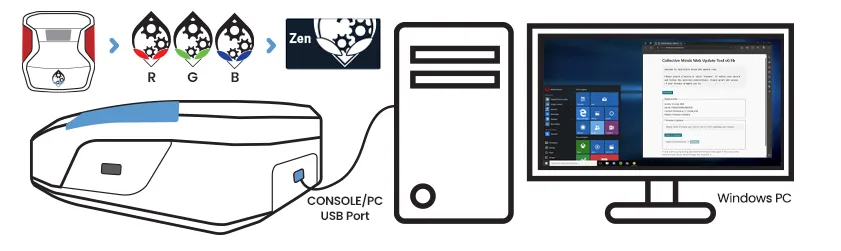
Keep pressing the P1 and P2 buttons for a minimum of 4 seconds. Wait for the Zen RGB LEDs to flash in a sequence: RED, GREEN, and BLUE.
If successful, the Collective Minds gear head logo will display on the Zen OLED Message Screen.
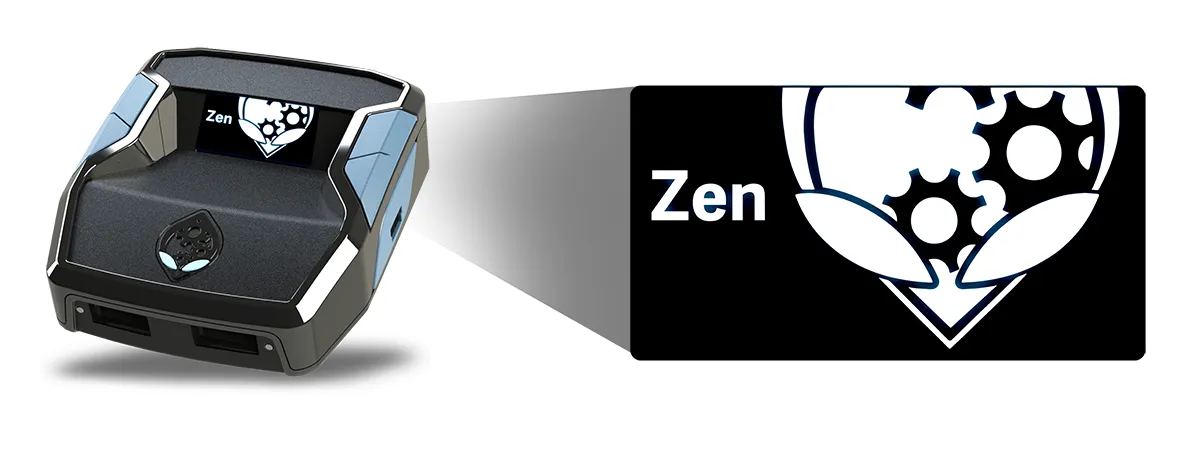
Still Not Working? 😲
If your Zen's is still showing a blank or corrupt OLED, the RGB's are not working, or it's flat out refusing to reset, that’s a huge bummer because it sounds like it’s developed a fault. DON'T PANIC!
Warranty Wonders: Bought directly from cronus.shop? The warranty is between 90 days and 1 year depending on the package you purchased. But if you snagged yours from another store like GameStop, you might have a 30-day warranty. Sweet deal if you've just unboxed. Within 30 days? You're set for a new replacement or a refund, whichever you prefer.