Introduction
Welcome to the Cronus Community! 👋
Since 2013, Cronus has pioneered cross-platform console gaming with cutting-edge scripting and M.O.D. technology. Cronus Zen™ is the next-generation successor, adding powerful script and macro tools, advanced PlayStation & Xbox mouse and keyboard support, and universal controller compatibility.
You're not just buying a piece of tech; you're joining a massive global community of passionate gamers, all united by the freedom to game on your own terms.
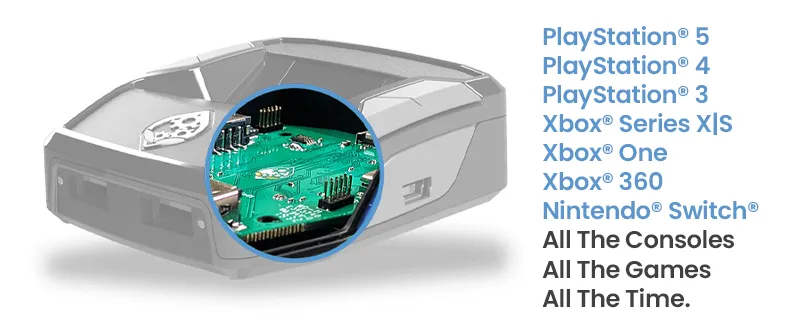
What Does Cronus Zen Do?
Experience the magic of seamlessly blending different gaming platforms and peripherals. Imagine using a DUALSENSE® on an Xbox Series X/S® or mastering the PS5® with a mouse and keyboard, all with full access to the famous Cronus GamePacks and GPC Scripts.
Controller/Console Support
One of the primary attractions of the Cronus Zen™ is its ability to break down platform barriers. Want to use your PlayStation® controller on an Xbox®? Or maybe your Xbox® Elite controller on a PS5®? With Cronus Zen, you can.
For full PS5® console support, you will need the Zen LINK™ Wi-Fi Expansion module 👉 available at cronus.shop
- All Major Platforms: Connect any supported controller, mouse, keyboard, or racing wheel to any supported console.
- Supported Consoles: PS5® (requires Zen LINK), PS4®, PS3®, Xbox® Series X|S, Xbox® One, Xbox®360, and the Nintendo® Switch are fully supported.
- Supported Controllers: All official PS5®, PS4®, PS3®, Xbox® Series X|S, Xbox® One, Xbox® 360, Nintendo® Switch, and the Nintendo® Wii controllers. Zen also supports most third-party licensed controllers.
- Supports All Games: The Cronus Zen™ outputs as a game controller, so if a game supports controllers, then it will work.
Mouse & Keyboard Support
The Cronus Zen™ is well-known for its ability to provide gamers with a superior level of customization and flexibility, and one of its standout features is its support for mouse and keyboard on consoles.
- Precision and Customization: Players can achieve a level of precision typically reserved for PC gamers. You can adjust settings like DPI, mouse speed, and key bindings to get everything feeling just right.
- Ballistic Curves: Incredible control and accuracy, includes support for XIM curves.
- MK Profiles: Easily import/export settings for your MK setup.
- Supported Brands: Cronus Zen™ boasts compatibility with popular gaming mice and keyboards, including brands like Logitech®, Razer®, Corsair®, and many more.
GamePacks
GamePacks are a free pre-configured solution built by Cronus Community experts and are ideal for both beginners and advanced users who want the latest MACROs without needing any coding knowledge.
- Drag & Drop: Quickly assign a GamePack to one of eight available memory slots.
- All Games: Cronus operates as a controller, so it doesn't matter what the game is.
- Regular Updates: Including new features, bug fixes, community requests and more.
- OLED Menu: You can set up and adjust most settings right on Cronus Zen™'s OLED screen, no computer required!

Scripts
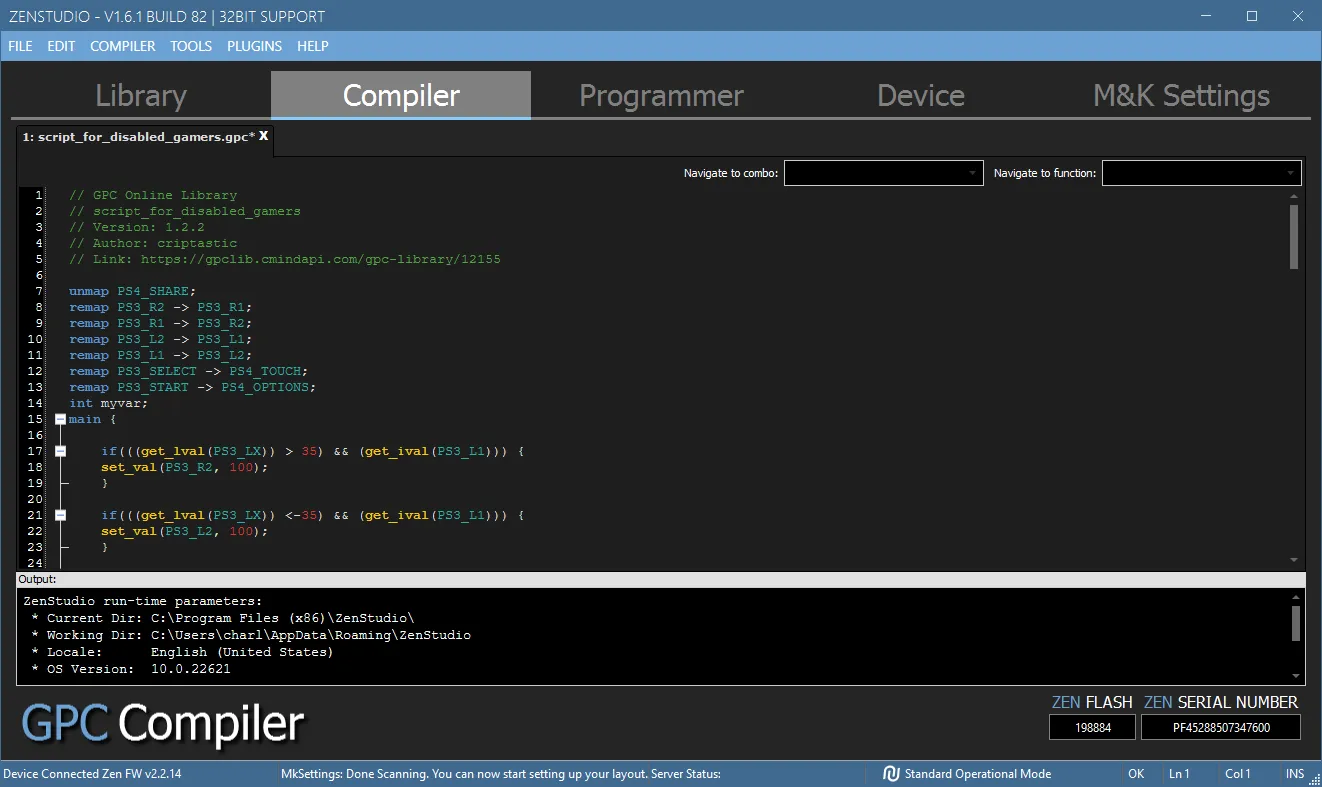
GPC Scripts are written in an open-source code format using our GPC language (similar to C#), allowing for greater flexibility for more advanced users.
- GPC Script Engine: All Zen users get access to a powerful script compiler.
- GPC Library: Access to thousands of free scripts, directly from Zen Studio.
- Developer Resources: Visit the GPC Developers Guide which provides a comprehensive overview of GPC syntax, data types, and functions, as well as advanced development techniques.
- Script Support: As scripts are created by members of the Cronus Community, you can speak directly to the creator of any script (they usually provide contact information), or get great assistance from the Cronus Forum & Discord communities. All you need to do is register your Zen to get free access to all Cronus Community resources.
Disclaimer
CronusMAX®, Cronus Zen®, and Zen LINK are trademarks of Collective Minds Gaming Co. Ltd. ©2013-2026. All product names, logos, brands, and other trademarks, images, or videos mentioned in this manual or on the website are used solely for identification purposes and remain the property of their respective trademark holders. These trademark holders are NOT affiliated with Collective Minds Gaming Co. Ltd., and they DO NOT sponsor or endorse its products, services, or websites.
"Sony®", "PlayStation®", "PS5®", "PS4®", "PS3®", "DUALSENSE®", "DUALSHOCK®", and "PS REMOTE PLAY®" are trademarks or registered trademarks of Sony Interactive Entertainment Inc.
"Xbox®", "Xbox Series X|S®", "Xbox One®", "Xbox 360®", and "Xbox Wireless®" are trademarks or registered trademarks of Microsoft Corporation.
"Nintendo®", "Switch®", "Wii®", and "Wii U®" are trademarks or registered trademarks of Nintendo Co., Ltd.
Neither Collective Minds Gaming Company, Inc. nor Blue Ridge Electronics, LLC is affiliated with, endorsed by, or sponsored by any of the aforementioned trademark owners.
Copyright or trademark concerns should be directed to the owner or their legally authorized representative in accordance with the U.S. Copyright Act. We reserve the right to disclose infringement notices to involved parties, including the alleged infringer. For inquiries or to report concerns, please contact dmca (at) cronusmax.com